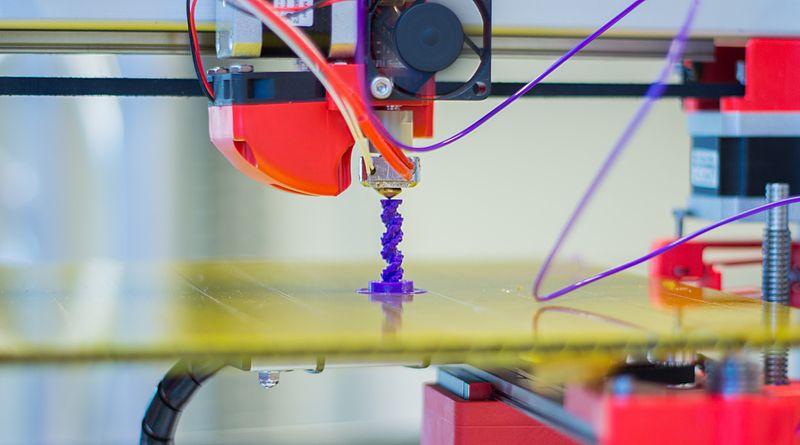
3D printers are all the rage right now. There are people creating small models out of them, building houses out of them, and most recently, a whole car (most of a car) was built using a 3D printer. I've been interested in them for the longest while, but only in the past few years have they become affordable enough to gain traction with the hobbyist crowd, like me. You can pick up a relatively good one for less than £200, and the best thing about that is you can immediately (once you get it up and running, of course), start printing upgrades for the printer which further improves the quality of future prints.
With the huge reduction in price, this now becomes available as a tool for education. Yes, some schools probably already had 3D printers. However, they were most likely the kind that cost thousands of pounds, and no one was allowed to use it, cos it cost thousands of pounds. Now, they cost hundreds, so depending on the school you're in, they are well within the budget of single departments. So they can now feature much more widely in school curricula, and as department clubs and enrichment programs. This is exactly what this post or series of posts is aimed at, as it is way more fun if the students taking part already have an interest, and don't have to worry about the pressures of mandetory assessments and grading.
So how and where can this feature in your subject?
- Details
Read more: 3D Printers - The Ultimate STEAM Machines: Part 1
I recently had the task of developing a curriculum to teach Python programming and one issue that came up was which IDE to use. There are plenty of Python IDEs to choose from, which is a blessing and a curse. With so many out there, what factors do you consider? Let's add some background information. The students would be grade 7 (UK year 8, age 12/13), beginners in text based programming with a background in block based programming having done, Scratch, Ardublockly and Kodu in previous years. To add to that, cost, as always, is an issue. To focus the discussion a little further, I was able to narrow the choices down to two main programs, PyCharm and IDLE. PyCharm by Jetbrains, and IDLE available with the Python download. I'd like to discuss these two in the context of teaching but will also discuss the online repl.it service briefly as well...
- Details
Read more: Picking Tech to Teach Programming - PyCharm vs IDLE

Welcome to part 5 of my Paperless Classroom series of blog posts. In part 1 I discussed general paperless technology; in part 2 I talked about my own classroom progression through the available tools; in part 3 I discussed my own tool I created and used in the classroom; and in part 4, I discussed my second version of the tool I created. In part 5, I want to discuss what has happened since I created it, and what I hope it will become. This post will contain a few excuses and will be a bit more personal than many of the other posts, which I intentionally try and stay away from. However, I feel that it's necessary to give a full explanation of thoughts and actions. So, here we go...
- Details
Read more: The Paperless Classroom: Part 5 - Wurkbuk - Continuing Development
Welcome to part 4 of my Paperless Classroom series of blog posts. In part 1 I discussed general paperless technology; in part 2 I talked about my own classroom progression through the available tools; and in part 3 I discussed my own tool I created and used in the classroom. In part 4, I want to discuss the next version of my tool in the hope it can become an open source project that others can make use of. If you have not read part 1 to 3, then you may want to have a quick skim through. However, if not, you should still be able to understand what is going on. Here I talk about how I migrated my tool from the HTML, CSS, JavaScript and Google Apps Script creation of the Wurkbuk Management console to the Joomla Wurkbuk website.
- Details
Read more: The Paperless Classroom: Part 4 - Wurkbuk - Joomla Version
Welcome to part 3 of my going paperless journey. If you haven't already, you may want to check out part 1 and part 2 to get some context, but you don't have to. In summary, part one discussed the details of general paperless classrooms and answered some basic questions. Part two delved into my own experience and how I ended up developing my own tools. This part concentrates on how I developed and used my own tools within my classrooms and departments.
I was able to develop my program using JavaScript, Google App Scripts, HTML, and CSS. There is a basic script editor hidden within Google Drive which was used as my IDE, which wasn't perfect but was manageable. I was able to run the scripts and generate a good enough output to use, and when it was complete, I was able to run it as a web app. Below is version 49 of the working prototype, which was largely bug free.
- Details
Welcome to part 2 of my Paperless Classroom series of blog posts. In part 1, I explained the what, whys and hows of going paperless, as well as what could go wrong and some tools that could be used. I also refered to my previous posts on tools that I had used in the past, and using Google Sites as a medium of instruction. In this post, I want to concentrate on my progression from paper based to paperless classrooms. What is important to mention is that there are a million and one different ways to do it, and all are dependent on the students, the school, the availability of equipment and technology as well as what software is available given the funds at your disposal. In my experience I tried to make sure that all software that was used was free. Below, I'll talk about how I started in the mid 2000s, and what led me to end up developing my own tools.
- Details
As I add to the multiple blog posts around the internet on the paperless classroom, I consider the purpose of writing this at all. Everything has been said already right? Well, not quite...
As every moment goes by, someone creates a new tool, a new technology, a new method to make going paperless that much easier, smoother, less prone to disruption and overall just a little bit better. The first blog posts I started reading about going paperless were about 10 years ago. A lot has changed since then, and that change needs to be documented. So here is my 2 penneth. In summary, I try and address these questions
-
What is going paperless?
-
Why go paperless?
-
Why have some not gone paperless?
-
What can go wrong?
-
How is it easier than before?
-
What tools did I use?
- Details